

Buyer guide
Vehicle history reports: know what you are checking
A practical guide for used-car buyers: understand the difference between a VIN decode, recorded vehicle history and an inspection, wherever you plan to buy.
Start here
Enter the VIN
Free VIN check. No payment card needed.
Before you compare prices, make sure you understand what a car check actually checks. A decoded VIN, an auction listing and a history report answer different questions. Using them together helps you ask the seller better questions before committing to a used car.
This guide focuses on US-market vehicles, including vehicles bought from abroad. The research process is useful across borders, but the records available for one country should never be presented as worldwide coverage.
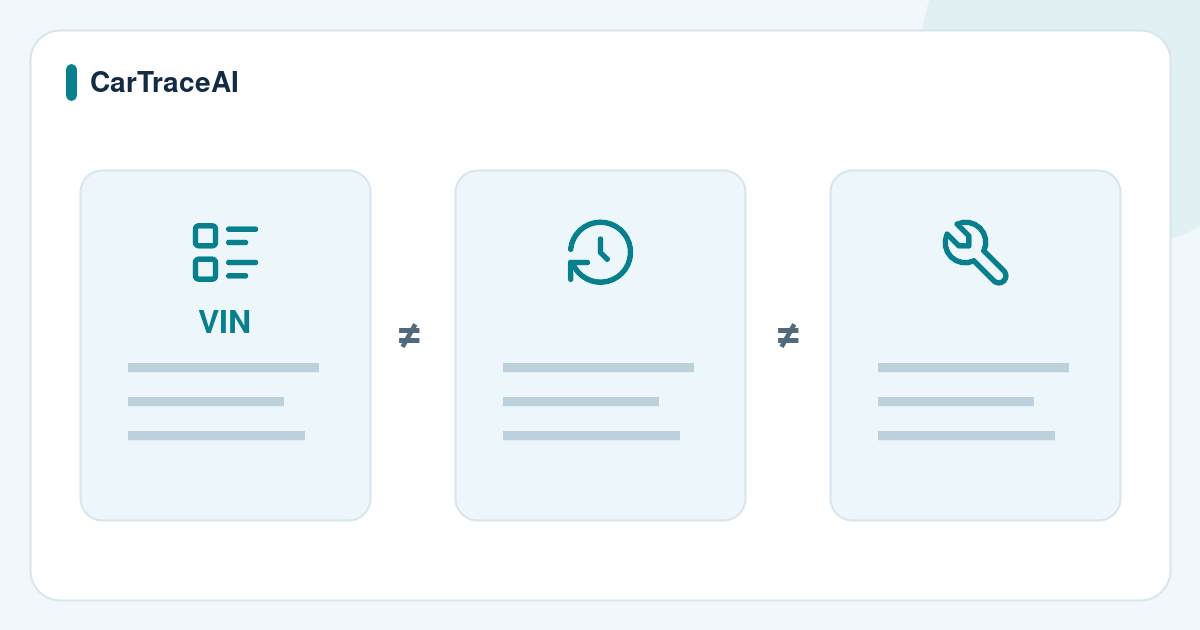
VIN decoder, history report and inspection: three different checks
VIN decode: identity
NHTSA vPIC decodes information reported by manufacturers, such as make, model year and assembly plant. Available fields depend on the VIN and manufacturer data.
History report: recorded events
A report may show title, odometer, insurance, auction or other records from the sources it names. Check what each provider actually includes.
Inspection: present condition
An independent mechanic examines the vehicle itself. The FTC recommends an independent inspection because a report usually does not reveal mechanical problems.
What to look for in a vehicle history report
Read the source list and coverage description first. NMVTIS focuses on US title and brand information, reported odometer readings, insurer total-loss determinations and junk or salvage reporting. It is not a detailed repair-history database. A provider may add other sources separately.
- Identity: the report VIN must match the physical vehicle, listing and ownership documents.
- Title brands: look for salvage, flood, rebuilt or other recorded brands, including earlier documents.
- Odometer: compare dated readings and their units with the dashboard and service records.
- Loss and salvage records: read the event description and date rather than treating every record as the same kind of damage.
- Additional records: auction photos, accident or service information may be available from other sources; do not assume every report includes them.
Read the timeline before drawing a conclusion
-
Confirm the VIN first
Compare all 17 characters. A valid format or matching decode alone cannot prove that the VIN plate belongs to the vehicle you are buying.
-
Put events in date order
Compare title, mileage, loss and sale dates. Ask the seller to explain discrepancies and provide supporting documents.
-
Check miles and kilometres
A US reading may be in miles and a later reading in kilometres. Confirm the units before interpreting a lower number as an odometer rollback.
-
Compare records with the car
Use the timeline to direct the inspection: earlier damage, repair invoices and current condition should make sense together.
What “no record found” really means
It means the searched source returned no matching record for that check. Damage that was not reported, updates not yet received, repairs and events outside a source's coverage may be absent.
A report with no listed damage is evidence about the search result, not a certificate that the car has never been damaged. A current clean title also does not answer every question about earlier condition.
Keep the report date and the full document. A screenshot of one green summary hides the source, timing and qualifications you need to assess the result.
Buying a US vehicle from another country
A vehicle can cross a border while its earlier US records remain useful. Those records do not automatically cover its later life abroad. Research the time before and after export separately.
- Ask for the original title or equivalent ownership document and compare the VIN with the vehicle.
- Request available export, import, registration and repair documents for the period after the US records end.
- Confirm import and registration requirements with the destination country's official authorities before bidding or paying.
- Arrange an independent inspection where the car is located; a remote listing or report cannot establish its present condition.
- Calculate transport, taxes, registration and repairs separately from the purchase price using written quotations.
Start with a free VIN decode on CarTraceAI
CarTraceAI's free check validates the VIN format and check digit and returns available manufacturer specifications through NHTSA vPIC. It is not a history report and does not search accident, title or mileage records.
The pricing page shows current history-report coverage and ordering availability. Review it for your VIN before paying. The sample report presents selected records from ClearVin’s official public sample with source details and explanations. It describes an example vehicle, not your VIN, and is separate from the original PDF.
Before you check
Frequently asked questions
Is a free VIN check the same as a free vehicle history report?
No. On CarTraceAI, the free VIN check decodes manufacturer data and validates the VIN. It does not include a search of vehicle history records.
Does a vehicle history report show every accident?
No. Records depend on the source and what was reported. An unreported accident or an event outside the source's coverage may not appear.
Can I use a US vehicle history report for an imported car?
It can help you research available US records for that VIN. You also need documents and checks covering the vehicle's later history and the country where you will register it.
Do I still need an inspection if the report looks clear?
Yes. A report describes available records, while an independent inspection checks the vehicle's present condition. Neither a clear summary nor a valid VIN establishes that the car is mechanically sound.