

Buyer guide
How to see a car's auction history and photos by VIN
Where to find a car's auction history by VIN, what an earlier sale record and its photos show, how to compare them with the car on offer, and what they cannot prove.
Start here
Enter the VIN
Free VIN check. No payment card needed.
A car offered to you may have been sold before at a US auction such as Copart or IAAI, or listed by a dealer. A recorded sale can show how the car looked, its mileage and how it was described before the current listing.
Records vary by VIN: not every sale is recorded, and photos may be missing.
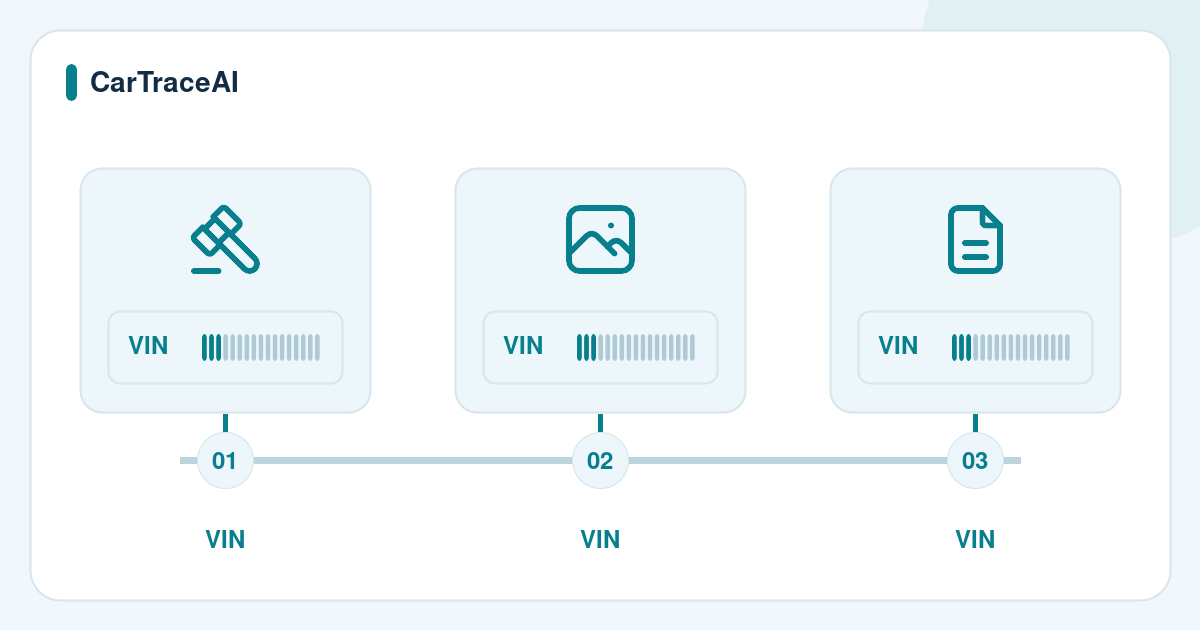
How to see past sales by VIN
Sale records are filed under the 17-character VIN, so the search starts there.
-
Copy the full VIN
Take all 17 characters from the listing, the car or its documents and check that they match. CarTraceAI cannot search by lot number.
-
Run a free VIN check
It decodes the VIN with NHTSA data. If ClearVin has data, it also shows a photo and the number of auction and damage records.
-
Open the sale history
The records, with dates, sellers, prices, mileage and photos where available, are in the sale history section of the paid ClearVin report.
-
Read the sales in date order
Compare them with the title records and odometer readings in the same report.
What a past sale record shows
In ClearVin's official public sample, the sale history lists salvage auction sales and dealer listings. An entry can show:
Seller and venue
For example, an insurer at Copart or a dealer's classified listing.
Location
The city and state, or the auction yard.
Condition
As described at the time, such as Used or Run & Drive.
Dates and price
When the car was listed and sold, and the sale price.
Mileage
The odometer reading at that sale.
Photos
Pictures from that listing. In the sample, some sales have dozens and one has none.
Auction details
For an auction sale, the title document type, the sale status and the recorded damage.
Not every record has every field. Records vary by VIN.
Where sale records and photos come from
Auction lot pages and dealer listings describe a car and usually show photos. A history report provider can keep a record of such a listing and show it under the VIN after the listing has closed.
These records are not part of NMVTIS, the US title information system. The US Department of Justice says an NMVTIS report covers five indicators: title, brand history, odometer reading, total loss and salvage history; private providers offer other information. In ClearVin's public sample, the sale history names ClearVin and a salvage auction as its source.
Not every sale is recorded: a private sale, a sale abroad or a listing the provider did not capture may be missing.
How to compare earlier photos with the car
Put the photos from each sale next to the current listing photos, then next to the car:
- Identity: colour, trim, wheels and options should match. If a photo shows the VIN plate or the door label, compare the characters.
- Damage: find the damaged areas in the auction photos and inspect the same places now: paint, panel gaps, replaced parts.
- Airbags and interior: deployed airbags, a damaged dashboard or warning lights in older photos call for proof of repair.
- Water: mud or sand under the seats, stained carpet or rust around the doors can point to flood damage.
- Repairs: ask for repair invoices and photos taken during the repair.
A photo shows one day and only what the camera caught. Hidden structural, mechanical and electrical damage needs an inspection.
How to check mileage across sales
Each sale record carries the mileage on that date, and readings should rise over time. Compare them with the odometer and title records in the same report, then with the dashboard and the service records.
- A lower reading at a later sale can be a typing error, a replaced instrument cluster or a rolled-back odometer. Ask for documents.
- Check the units: US records are usually in miles, and a later record from another country may be in kilometres.
- The report's odometer section can show readings by date and source and an average per year. A sudden change of pace deserves a question.
- On a current lot page, read the odometer status next to the mileage, such as Actual or Not Actual.
Red flags in a sale history
None of these proves fraud on its own, but each is a reason to ask questions and have the car inspected before you pay:
Salvage sale, clean description
Sold at a salvage auction, but the current listing does not mention damage or repair.
Water or fire damage
An earlier record or photo shows flood or fire damage that the seller does not mention.
Mileage out of order
A later sale shows a lower reading, or the readings do not fit the dates.
A different-looking car
Colour, trim or equipment in earlier photos does not match. Check that the VIN belongs to this car.
Quick resales
The car changed hands several times in a short period. Ask why.
Title documents that differ
An auction entry shows a salvage or flood document, but the current title has no brand.
In ClearVin's public sample, the car was offered at Copart with a salvage flood title document and later appeared in dealer listings as Used. The title brands section of the same report shows flood, salvage and rebuilt brands.
What sale history cannot tell you
Sale history is evidence about past listings, not a full history or a condition report:
- A label such as Run & Drive or Used is what was said that day, not an inspection result. Auctions do not guarantee their notes.
- Some sales are never recorded, and some records have no photos.
- No sale record does not mean the car was never damaged or never sold at auction.
- A US report covers US records. After an export, check the later history with documents from those countries.
How to use sale history before you buy
- Confirm that the VIN in the listing, on the car and in the documents is the same.
- Read every sale in date order: seller, venue, condition, mileage and photos.
- Compare earlier photos with current ones and, if you can, with the car itself.
- Ask the seller to explain each damage record and to show repair invoices.
- Arrange an independent inspection focused on the areas damaged in earlier photos.
- Keep the full report and its date with your purchase documents.
On CarTraceAI
The free VIN check decodes manufacturer data from NHTSA vPIC. If ClearVin has data, it also shows a photo and the number of auction and damage records; the records themselves are only in the paid report.
The paid report is the original ClearVin PDF. ClearVin is listed on the US Department of Justice's NMVTIS website as an approved data provider. Records vary by VIN, so check current availability and the price on the pricing page before paying.
Before you check
Frequently asked questions
Can I see a car's old Copart or IAAI photos by VIN?
Yes, if a history report has a record of that sale with photos. Not every sale has photos, and some sales are not recorded.
Does the free VIN check show auction history?
Only in part. If ClearVin has data, it shows a photo and the number of auction and damage records. The details of each sale are in the paid report.
Can I search by a Copart or IAAI lot number?
No. CarTraceAI checks the 17-character VIN, so copy the VIN from the lot page.
If the report shows no auction sales, was the car never damaged?
Not necessarily. It only means that no matching sale was found. Damage repaired without an insurance claim may not appear.
Is CarTraceAI affiliated with Copart or IAAI?
No. Copart and IAAI are independent auctions; we name them only to explain where sale records come from.
Sources and further reading
- US Department of Justice: what an NMVTIS vehicle history report covers
- US Department of Justice: title brands, state differences and missing records
- US Department of Justice: approved NMVTIS data providers
- FTC: how to steer clear of a flood-damaged car
- FTC: buying a used car and arranging an independent inspection